
Odoo crypto payments let you add a modern payment option to your ERP‑driven store without disrupting the rest of your stack. Odoo combines ecommerce, invoicing, and inventory in one platform, so a crypto integration must be reliable and well‑documented. The goal is to keep the checkout smooth while giving customers an additional way to pay.
This guide covers a practical approach to integrating crypto payments with Odoo, focusing on checkout flow, order status, and operational consistency.
Odoo crypto payments: plan the integration path
Start by identifying how Odoo handles payments and order status. Your crypto checkout should mirror your existing payment flow: payment initiated, order updated, fulfillment triggered. If these steps are not consistent, the integration will create support overhead.
Most merchants choose a processor‑managed checkout with webhook updates to keep Odoo order status in sync. This reduces manual work and keeps the ERP data clean.
Keep checkout clear and fast
Crypto should appear as an optional payment method, not a replacement. Place it alongside your existing payment options and avoid changing the structure of the checkout page. The payment screen should show the amount, the network, and a confirmation window, then return the customer to an order confirmation page.
Clear instructions are essential. Odoo customers expect a smooth experience, and confusion at the payment step can reduce conversion.
Order status and reconciliation
Odoo relies on accurate order status for fulfillment and reporting. Make sure the crypto integration updates orders automatically when payment is detected and confirmed. This can be done through webhooks or direct API updates, depending on the integration method.
Record the transaction hash and fiat value with the order. This makes reconciliation easy and supports accounting requirements.
Refunds and customer support
Define refund rules before launch. Decide whether refunds are issued in crypto or fiat, and document the process clearly. Add a short FAQ to your checkout page or help center so customers know what to expect.
Support teams should have a simple script for common questions such as confirmation timing and refund policies. Consistency builds trust.
Security and operational controls
Even with a processor‑managed flow, you should implement basic controls. For high‑value orders, add manual review or additional verification. For digital goods, consider delaying delivery until confirmation. These steps reduce risk without adding friction for normal orders.
Keep wallet access limited to approved staff and document your internal process for handling large transactions.
BlockBee and Odoo‑friendly checkout
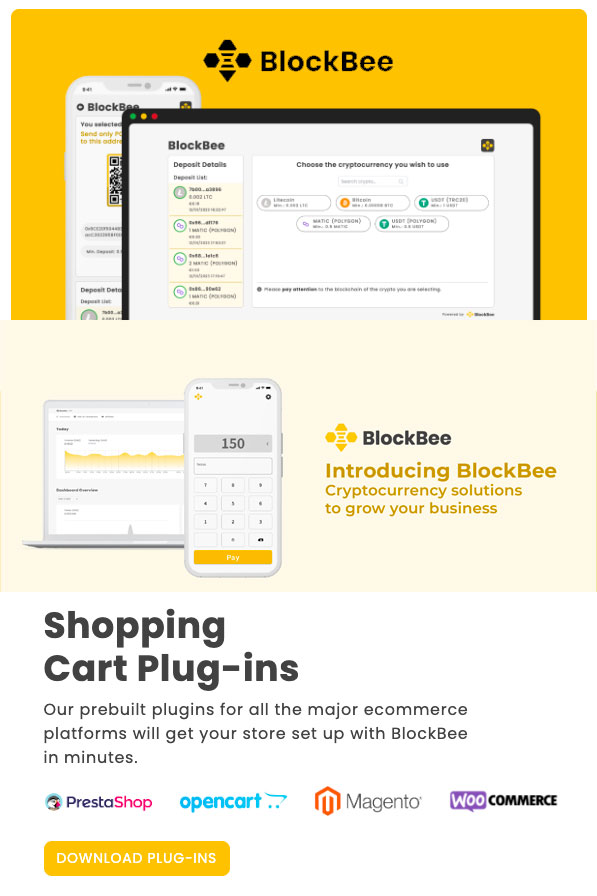
BlockBee offers a crypto payment flow that can be connected to ecommerce platforms and custom systems, including ERP‑driven setups. You can keep pricing in fiat, offer stablecoins alongside Bitcoin, and receive real‑time payment updates to keep Odoo orders accurate.
Explore Odoo‑ready crypto payments with BlockBee.
Go‑live checklist
- Map the payment flow and order status updates in Odoo.
- Enable webhook or API updates for payment confirmations.
- Keep pricing in fiat and calculate crypto at checkout.
- Define refund policy and update support scripts.
- Test end‑to‑end before promoting the option.
With a clean integration and clear messaging, Odoo crypto payments become a reliable extension of your existing checkout.
Invoices and off‑site payments
Odoo is often used for invoices and B2B workflows. Crypto payments can extend those workflows by allowing customers to pay invoices using a secure payment link. This is useful for custom orders, wholesale accounts, or situations where the checkout flow is not used. A payment link should include the exact amount, currency, and payment window, then confirm the payment automatically when it is detected.
Make sure invoice records include the transaction hash and the fiat value at payment time. This keeps accounting consistent and reduces reconciliation effort.
Multi‑store and multi‑currency considerations
If your Odoo setup supports multiple storefronts or currencies, define a consistent policy for crypto pricing. A common approach is to price products in a single base currency and convert at checkout. This keeps pricing consistent across stores and avoids discrepancies between regions.
For multi‑currency sales, document which currency is the system of record for accounting. Consistency matters more than the specific currency you choose.
Analytics and performance tracking
Track conversion rate for crypto versus card payments, and review the data by region and product category. Crypto adoption is often higher in international segments or for digital products. Use these insights to decide where to promote the option more visibly.
Also track support tickets related to crypto payments. If questions cluster around confirmation time or refunds, update your FAQ and checkout copy to reduce confusion.
Staged rollout for stability
Launch crypto to a limited group first—such as a specific product category or region—then expand once the flow is stable. A staged rollout makes it easier to catch edge cases and refine the payment experience before it reaches your full audience.
Once the workflow is smooth, you can add stablecoin options or expand to additional networks to improve adoption.
Team training and customer guidance
Odoo deployments often involve multiple teams. Provide a short internal guide explaining how crypto payments appear in orders, how to find transaction references, and how to handle refunds. This reduces internal confusion and speeds up support responses.
On the customer side, keep messaging short and practical. A simple note about confirmation time and refund policy is usually enough. Clarity improves completion rates and lowers support costs.
With these steps, Odoo crypto payments become a stable, scalable part of your commerce stack.
This is the foundation for long‑term adoption.
It keeps Odoo workflows intact while expanding payment choice.
Related guides: Hosted crypto checkout page: launch payments without changing your site | Crypto payments API integration: build a custom checkout | Bubble crypto payments: add a no-code crypto checkout
FAQ
How do you set up Odoo crypto payments?
Odoo crypto payments are set up by adding a crypto checkout method and mapping it to Odoo orders and invoices.
What is the best checkout flow for Odoo crypto payments?
The best checkout flow for Odoo crypto payments uses a hosted or embedded checkout that updates order status automatically.
How do webhooks support Odoo crypto payments?
Webhooks support Odoo crypto payments by syncing payment confirmations to sales orders and invoices.
How do refunds work with Odoo crypto payments?
Refunds for Odoo crypto payments should be tied to the original invoice and processed by your crypto payout rules.
Can Odoo crypto payments post to accounting automatically?
Yes, Odoo crypto payments can post to accounting when the payment status is confirmed and mapped to ledgers.
What security steps are needed for Odoo crypto payments?
Odoo crypto payments require secure API keys, restricted roles, and confirmation rules before fulfillment.
How do you test Odoo crypto payments safely?
Odoo crypto payments should be tested in a sandbox or test mode before going live.
Can Odoo crypto payments support multiple currencies?
Odoo crypto payments can support multiple currencies when the checkout supports multi asset pricing and conversion.
How do you handle invoices with Odoo crypto payments?
Invoices in Odoo crypto payments should include the crypto amount, network, and payment window.
What is the first step for Odoo crypto payments?
The first step for Odoo crypto payments is to define your checkout method and confirmation rules.
Editorial Q&A
Q: For odoo crypto payments, should we use a hosted page or an API integration?
A: Hosted is fastest to launch, while API integration gives full control over UX and data flows.
Q: How do we avoid breaking checkout when adding odoo crypto payments?
A: Add it as an optional payment method and test with a small traffic slice first.
Q: How do we test odoo crypto payments before going live?
A: Run a staging flow, verify confirmations, simulate refunds, and confirm accounting exports.
Q: Does odoo crypto payments require extra compliance steps?
A: It depends on order size and category. Many merchants use tiered checks for higher-value orders.
Q: What data should we log for odoo crypto payments?
A: Order ID, transaction hash, crypto amount, fiat value at sale, and status changes.
Related merchant guides
Explore by topic
Continue reading
- Payout API adoption guide: orchestrating supplier and affiliate disbursements
- Payment routing logic: how smart retries and channel selection lift authorization
- Crypto API integration standards: wallet events, confirmations, and reconciliation hooks
- Payment gateway API hardening: error handling and fallback design for production
- Subscription billing operations: proration, retries, and failed-payment recovery
- Ecommerce payment gateway benchmarks: approval rate, latency, and failure handling
- Payment API integration blueprint: versioning, idempotency, and rollback safety
- Payment orchestration explained: when multi-PSP routing pays off











Join the discussion
Share a real experience or ask a focused question. Short replies are perfect.