
OpenCart crypto payments are a straightforward way to add a modern checkout option without changing the core store experience. The typical flow is familiar: the customer selects crypto at checkout, a real‑time invoice is created, and the order updates when payment is confirmed. With the right configuration, it can feel as simple as any card payment method.
The biggest goal is clarity. A clean payment option, a short payment timer, and predictable order status updates keep conversion high and support low.
Choose your settlement model first
Before installing a payment module, decide whether you want to settle in fiat or crypto. Fiat settlement avoids volatility and keeps accounting simple. Crypto settlement can make sense for treasury exposure or vendor payments. Many merchants start with fiat and add a crypto allocation later.
Install the payment module
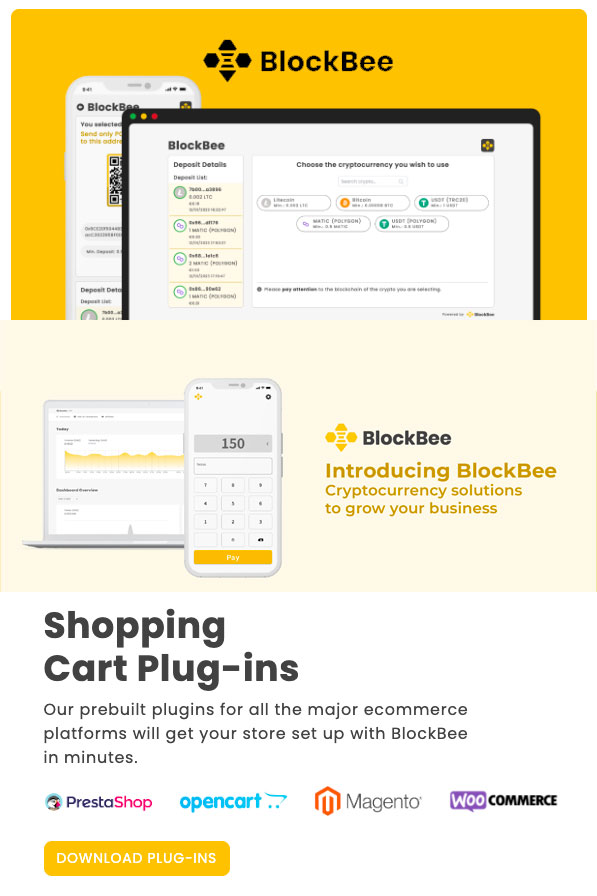
BlockBee provides official plugins for platforms including OpenCart, with multi‑store support and a mobile‑responsive checkout. Install the module, connect your API key, and select the coins you want to accept. Keep the initial configuration simple so you can validate the flow before expanding features.
Configure confirmations and order status
Set a confirmation threshold that matches your fulfillment workflow. Physical goods often wait for more confirmations, while digital goods can be delivered faster. Mapping confirmations to the right order status prevents mistakes and keeps fulfillment predictable.
Checkout UX that improves conversion
Show supported coins, display a clear payment timer, and confirm the order immediately after payment. Add a short FAQ near the payment option to reduce hesitation for first‑time crypto users. Consistent copy across the cart and checkout improves trust.
Refunds and customer support
Define whether refunds are issued in fiat or crypto and explain the calculation method. Publish this in your refund policy so customers know what to expect. Internally, document the flow so support can respond quickly and consistently.
Compliance and record keeping
Keep invoice records, transaction hashes, and settlement reports tied to each OpenCart order. This makes reconciliation clean and helps finance teams handle taxes and revenue reporting with confidence.
Go‑live checklist
- Choose settlement in fiat, crypto, or a split model.
- Install the OpenCart payment module and connect your API key.
- Select a focused coin list for launch.
- Test a full transaction and confirm order status updates.
- Publish a short FAQ and refund policy.
- Monitor conversion rate and payment success rate.
Handling late or partial payments
Decide how you will handle underpayments before you go live. Some merchants accept small differences automatically; others require manual review. A clear policy reduces support friction and keeps finance aligned.
Security and operational hygiene
Limit access to payment settings and API keys. If keys are rotated, re‑save the module configuration to ensure callbacks still work. A short monthly review of logs and settlement reports helps catch errors early.
Measuring performance
Track adoption rate, payment success rate, average order value, and the regions where crypto is most used. These metrics show whether the new payment option is driving real value or needs refinement.
When to expand the coin list
Expand only after you see consistent usage. A focused coin list keeps support manageable and reduces checkout complexity. Use customer requests and payment data to guide additions.
A practical path forward
If you want a managed solution with plugins and APIs built for merchants, you can start with BlockBee and expand your setup as demand grows. It keeps the checkout familiar while adding crypto as a native option.
Quick FAQ
You do not need to hold crypto if you choose fiat settlement. The gateway can convert the payment and deposit local currency to your bank account.
Crypto can be offered alongside cards without changing your existing checkout. Add one new payment option, measure adoption, and iterate based on results.
Pricing display and transparency
Show the fiat equivalent clearly even when the payment is crypto. Consistent pricing across product pages, cart, and checkout builds trust and reduces drop‑off. A short “price locked” message helps customers understand the payment window.
Staging and test transactions
Test the full flow before going live: invoice creation, payment confirmation, order status update, and email notifications. This ensures your store behaves exactly as expected and avoids customer confusion during the first live transactions.
Business continuity and uptime
Your checkout depends on server availability. Monitor uptime, keep backups of payment settings, and document recovery steps. If a payment window expires during downtime, have a simple support response ready so customers don’t feel stuck.
Localization and regional adoption
Crypto adoption varies by region. If your store serves multiple countries, you may want to highlight crypto in regions where it is most requested while keeping the option more subtle elsewhere. Tracking region‑level adoption helps you decide where to invest in education.
Marketing and education
A short “How to pay with crypto” section on your checkout or FAQ page can increase adoption. Keep it short, visual, and focused on the steps customers need to complete the payment.
Support workflow and escalation
Define what happens when a customer claims they sent funds but the order did not update. A simple escalation path, including a checklist for transaction hash verification, keeps response times low and avoids refunds that shouldn’t happen.
KPIs to track after launch
Measure adoption rate, payment success rate, and average order value compared to card payments. If crypto orders have higher AOV or better international conversion, you’ll have a clear case to expand the option further.
Use these metrics to guide coin additions and checkout refinements over time.
Related guides: Hosted crypto checkout page: launch payments without changing your site | Crypto payments API integration: build a custom checkout | How to create a crypto payment link: sell anywhere with a shareable checkout | How to accept crypto payments online: add a 24/7 payment method that converts | Crypto payment processing fees: lower costs without harming conversion | Crypto chargeback protection: reduce disputes and protect margin
FAQ
How do you set up OpenCart crypto payments?
OpenCart crypto payments are set up by enabling a crypto checkout method and connecting it to OpenCart orders.
What is the best checkout flow for OpenCart crypto payments?
The best checkout flow for OpenCart crypto payments uses a hosted or embedded checkout with order updates.
How do webhooks support OpenCart crypto payments?
Webhooks support OpenCart crypto payments by updating order status after payment confirmation.
How do refunds work with OpenCart crypto payments?
Refunds for OpenCart crypto payments should be logged against the original order and follow your refund rules.
Can OpenCart crypto payments post to accounting?
OpenCart crypto payments can post to accounting when payment records map to invoices and ledgers.
What security steps are needed for OpenCart crypto payments?
OpenCart crypto payments require secure API keys, role restrictions, and confirmation thresholds.
How do you test OpenCart crypto payments safely?
OpenCart crypto payments should be tested in a sandbox or test mode before launch.
Can OpenCart crypto payments support multiple coins?
OpenCart crypto payments can support multiple coins if your checkout supports multiple assets.
How do invoices work with OpenCart crypto payments?
Invoices for OpenCart crypto payments should show the crypto amount, network, and payment window.
What is the first step for OpenCart crypto payments?
The first step for OpenCart crypto payments is choosing the checkout flow and confirmation rules.
Editorial Q&A
Q: Does OpenCart crypto payments require changes to accounting?
A: Yes. Record the crypto amount and the fiat value at the time of sale to reconcile orders and taxes.
Q: How do we keep checkout simple with OpenCart crypto payments?
A: Limit the coin list and use a single, clear call-to-action with short guidance text.
Q: What is the most common mistake when rolling out OpenCart crypto payments?
A: Unclear wallet instructions or missing timers. A short explanation and visible status updates reduce drop-off.
Q: How should refunds be handled for OpenCart crypto payments?
A: Define whether refunds are in crypto, stablecoins, or fiat and document the exchange-rate policy.
Q: Is OpenCart crypto payments better for cross-border buyers?
A: Often yes, because it avoids card friction and reduces FX-related surprises for global customers.











Join the discussion
Share a real experience or ask a focused question. Short replies are perfect.