

How to integrate bitcoin payments on your website is as much a UX and security project as it is a payment project. Your checkout must be clear, your confirmation flow reliable, and your operations aligned. Bitcoin customers are often experienced and will notice gaps in the flow, so the integration must feel intentional.
This guide covers the practical steps to launch Bitcoin payments with a secure setup and a user experience that builds trust.
How to integrate bitcoin payments on your website with a secure foundation
Security starts with choosing a payment flow that limits your exposure. Most merchants should avoid managing private keys directly. Instead, use a processor‑managed checkout that handles address generation and payment detection. This reduces the risk of operational errors and makes the integration easier to maintain.
Make sure the integration supports secure webhooks for order updates. A secure webhook ensures that your system only marks orders as paid when the transaction is verified, which is critical for fraud prevention.
Designing a payment screen that works
Bitcoin payments are straightforward, but the interface must be simple. Show a QR code, a copyable address, and the exact amount in BTC. Provide a visible payment window and a status indicator so the customer knows when payment is detected and confirmed.
The best payment screens use plain language and avoid jargon. If you need to provide extra information, place it in a short FAQ or a collapsible section. The payment screen should remain focused on the action.
Network and confirmation clarity
Bitcoin operates on a single main network, but confirmation time still matters. Communicate how long confirmations typically take and when fulfillment begins. For low‑risk orders, you may fulfill after the first confirmation. For higher‑value orders, you may wait for additional confirmations. The key is to make this decision consistent and visible.
Customers are far less likely to abandon a payment when they understand the confirmation process. Clarity is the simplest UX improvement you can make.
Refunds and customer support
Refunds should be documented before launch. Decide whether you will refund in Bitcoin or in fiat. If you refund in Bitcoin, specify the network, the timeline, and any required details from the customer. If you refund in fiat, explain how the conversion rate is calculated.
Support teams should have a short response template for common questions, including “Is my payment received?” and “Why is my order pending?” Standardized responses reduce confusion and speed resolution.
Operational controls for stability
Every order should include the transaction hash and the fiat value at the moment of payment. This helps with accounting and makes audits easier. For high‑value orders, add manual review triggers or identity checks. These controls should be targeted so they do not slow down typical orders.
Use logs and dashboards to monitor payment confirmations and webhooks. If a webhook fails, the order should not be marked paid. This one rule prevents most operational errors.
Launch checklist for Bitcoin UX
- Use a processor‑managed checkout to avoid private key handling.
- Display amount, QR code, and payment window clearly.
- Confirm transactions before triggering fulfillment.
- Document refund rules and support responses.
- Track confirmation time and support tickets.
When to promote Bitcoin
Start with a soft launch. Add a subtle Bitcoin badge in the footer and include Bitcoin as an option at checkout. Once the flow is stable, test small promotions on international segments or high‑intent product categories. This keeps your core conversion rate safe while you learn how Bitcoin performs for your audience.
BlockBee for secure integration
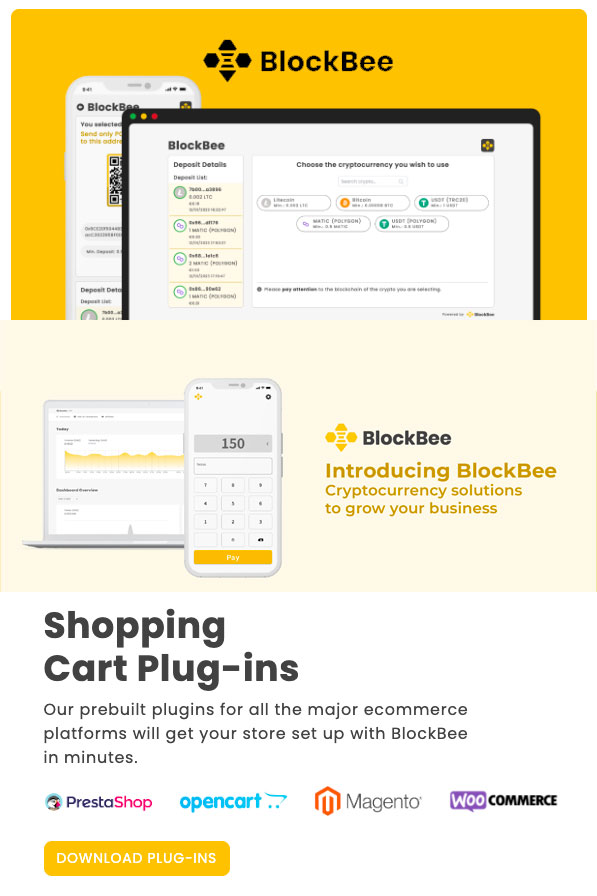
BlockBee provides a clean integration path for Bitcoin payments, with real‑time status updates and a checkout flow designed for clarity. It reduces the security burden by handling key payment processes while keeping your order management intact.
See how to integrate Bitcoin with a modern checkout at BlockBee.
Testing and QA before launch
Run at least three test transactions from different devices: desktop, mobile, and a second browser. Verify that the pagina di pagamento loads quickly, the QR code renders correctly, and the status updates are consistent. Confirm that the confirmation email is sent and that the order status changes to “paid” only after a valid confirmation.
Also test edge cases. What happens if a customer pays the wrong amount? What happens if they send a payment after the timer expires? Define these outcomes in advance and make sure your system handles them cleanly. Clear edge‑case handling prevents confusion and support tickets.
Content and UX messaging that build confidence
Keep messaging short and practical. A simple sentence such as “Bitcoin payments confirm in a few minutes; your order will update automatically” is enough. Avoid long technical explanations on the checkout screen. Place longer explanations in a help article or FAQ so the main flow remains focused.
Consider adding a one‑line note in your order confirmation email with the transaction reference. It reassures customers that their payment is tracked and makes it easy for support to assist if a question arises.
Keep performance tight
Bitcoin payments should not slow your page. Keep the payment widget lightweight, avoid large scripts, and test page speed after integration. A fast checkout protects conversion and improves overall user satisfaction.
When performance is solid, customers complete payments with less hesitation and you avoid the perception that crypto is slower or more complex.
That perception shift is a real conversion gain.
Small improvements here compound over time.
That is the point.
Related guides: How to use crypto for online payments: build a flexible, future-ready stack | How to create a crypto payment link: sell anywhere with a shareable checkout | How to accept cryptocurrency payments: use stablecoins to control price volatility
FAQ
How to integrate bitcoin payments on your website securely?
How to integrate bitcoin payments on your website securely requires protected API keys and verified webhooks.
How to integrate bitcoin payments on your website with a custom checkout?
How to integrate bitcoin payments on your website with a custom checkout uses APIs to generate addresses per order.
How to integrate bitcoin payments on your website and handle confirmations?
How to integrate bitcoin payments on your website should set confirmation thresholds before marking orders as paid.
How to integrate bitcoin payments on your website and avoid underpayment?
How to integrate bitcoin payments on your website should define rules for underpayment and overpayment cases.
How to integrate bitcoin payments on your website and test safely?
How to integrate bitcoin payments on your website should be tested in sandbox mode before launch.
How to integrate bitcoin payments on your website and keep UX simple?
How to integrate bitcoin payments on your website and keep UX simple uses QR codes and short instructions.
How to integrate bitcoin payments on your website and track orders?
How to integrate bitcoin payments on your website and track orders requires linking order IDs to transaction IDs.
How to integrate bitcoin payments on your website and manage refunds?
How to integrate bitcoin payments on your website and manage refunds requires a clear refund workflow.
How to integrate bitcoin payments on your website and secure admin access?
How to integrate bitcoin payments on your website should restrict access to payout settings and logs.
How to integrate bitcoin payments on your website first step?
How to integrate bitcoin payments on your website starts by deciding the checkout flow and confirmation policy.
Editorial Q&A
Q: What messaging works best at the how to integrate bitcoin payments on your website decision point?
A: One short line that explains the method without jargon improves confidence and clicks.
Q: How do we handle wrong-network payments in how to integrate bitcoin payments on your website?
A: Label networks clearly and provide a help path for recovery and support.
Q: What should the confirmation state include for how to integrate bitcoin payments on your website?
A: Payment received, network confirmation status, and next steps for the order.
Q: Should how to integrate bitcoin payments on your website show both fiat and crypto amounts?
A: Yes. Dual display improves trust and reduces confusion about the total.
Q: How can we make how to integrate bitcoin payments on your website mobile-friendly?
A: Use wallet deep links, large QR codes, and short instructions above the fold.












Join the discussion
Share a real experience or ask a focused question. Short replies are perfect.