
Crypto payment UX best practices help merchants turn a technical payment method into a smooth customer experience. When crypto checkout is confusing or slow, buyers abandon the cart. When it is clear and confident, crypto becomes a high‑intent payment option that lifts conversion and expands your buyer base.
This article explains the UX fundamentals that make crypto checkout feel trustworthy. It focuses on messaging, layout, confirmation flow, and the decisions that matter most for ecommerce teams.
Crypto payment UX best practices begin with clarity at the decision point
The first UX moment is the payment method choice. Show crypto alongside familiar methods, explain it in one short line, and avoid jargon. The customer must understand what will happen next without reading a long FAQ.
Use a compact explanation such as “Pay with crypto or stablecoins via secure wallet.” This line sets expectations and reduces drop‑off for first‑time buyers.
Make amounts and time windows obvious
Crypto payments often use a time window to lock the exchange rate. The UX must show the amount, the timer, and what happens if the timer expires. Hidden or confusing timers make users feel rushed.
Use a clear timer with a short explanatory line. If the timer expires, give a one‑click option to refresh the amount. This reduces frustration and keeps the buyer on track.
Design the wallet step for confidence
When buyers reach the wallet step, they need trust signals. Display the address and QR clearly, offer a copy button, and show the amount in both fiat and crypto. Avoid visual noise that makes the payment look risky.
For mobile users, deep links to popular wallets reduce steps. The fewer manual actions required, the higher the completion rate.
Use progress states and confirmations
Crypto transactions do not confirm instantly. A good UX includes a progress indicator with plain‑language status updates. “Payment received” and “Confirming on the network” are more reassuring than technical jargon.
Send a confirmation email or on‑site message once payment is confirmed. This bridges the gap between transaction and order fulfillment and keeps support volume low.
Recovery paths for common failures
Buyers sometimes send the wrong amount or use the wrong network. The UI should include a clear help path and explain the next steps. A simple “Need help?” link near the payment details can save many orders.
Document recovery steps in plain language. Fast, empathetic recovery messaging improves trust and reduces chargeback-like disputes.
BlockBee and a UX‑first crypto checkout
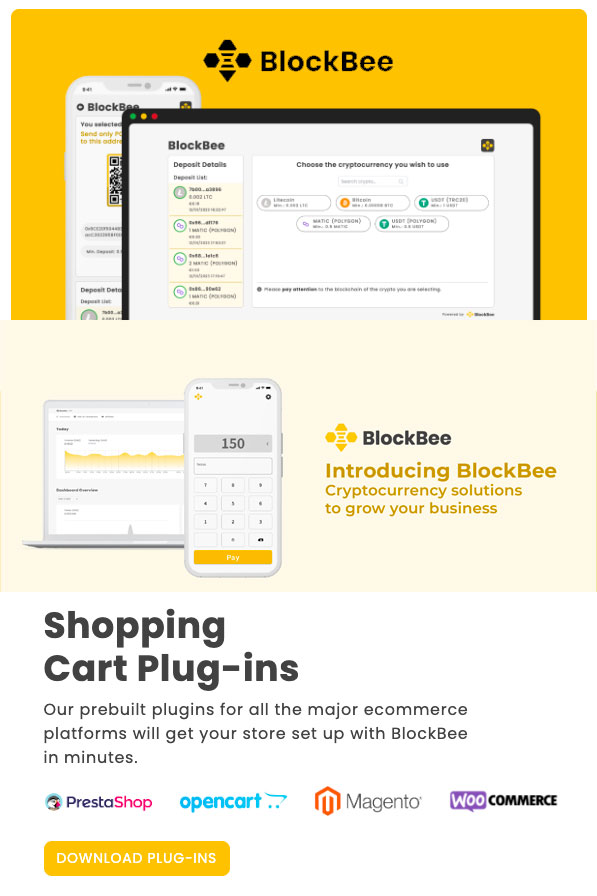
BlockBee is built for a merchant‑first crypto checkout, where the UX is designed to be clear, fast, and reliable. It supports multiple coins and stablecoins, offers clean payment steps, and provides status updates that keep buyers confident.
If your goal is a crypto checkout that converts without confusing users, BlockBee provides a ready‑to‑use experience that you can align with your brand.
Related guides: Stablecoin payout strategy for merchants: predictable settlement | Crypto treasury policy for ecommerce: clear rules for holdings | Crypto payment cash flow management: keep liquidity predictable
FAQ
What are crypto payment UX best practices?
Crypto payment UX best practices focus on clarity, short instructions, and simple confirmation flows that reduce buyer uncertainty.
How do I reduce friction at crypto checkout?
Use a clear payment method label, show totals in fiat and crypto, and minimize steps before wallet action.
Why is the payment timer important?
A visible timer helps users understand rate lock windows and avoids confusion when amounts expire.
What is the best way to present a wallet address?
Use a large QR code, a copy button, and plain\u2011language instructions to reduce input errors.
How can mobile UX improve crypto conversion?
Wallet deep links and simplified screens reduce drop\u2011off and speed up payments on mobile.
Should I show confirmation steps?
Yes. Clear confirmation status updates increase trust and reduce support requests.
How do I handle wrong-amount payments?
Provide a clear help path and guidance on how the order will be resolved based on policy.
Do I need a dedicated crypto FAQ?
A short FAQ near checkout helps first\u2011time buyers complete the payment with confidence.
How does UX affect chargeback-like disputes?
Clear UX reduces misunderstandings, which lowers refund requests and disputes.
Can UX changes improve crypto AOV?
Yes. A smoother flow increases completion rates and can improve average order value.
Editorial Q&A
Q: Should crypto payment UX best practices show both fiat and crypto amounts?
A: Yes. Dual display improves trust and reduces confusion about the total.
Q: How can we make crypto payment UX best practices mobile-friendly?
A: Use wallet deep links, large QR codes, and short instructions above the fold.
Q: What messaging works best at the crypto payment UX best practices decision point?
A: One short line that explains the method without jargon improves confidence and clicks.
Q: How do we reduce drop-off in crypto payment UX best practices?
A: Use a visible timer, a copy button, and plain-language status updates.
Q: What should the confirmation state include for crypto payment UX best practices?
A: Payment received, network confirmation status, and next steps for the order.












Join the discussion
Share a real experience or ask a focused question. Short replies are perfect.