

How to add crypto payments to website is often framed as a technical project, but the real goal is business efficiency. You are not just adding another payment button; you are creating a second rail that can reduce processing costs, lower cross-border friction, and expand how customers choose to pay. Done correctly, it should feel invisible: checkout remains fast, branding stays consistent, and your team keeps the same operational rhythm.
This article shows a practical, low‑risk way to add crypto payments while keeping the rest of your site untouched. The strategy is to add a new option, test it on a small slice of traffic, then scale when it proves its value.
How to add crypto payments to website without breaking conversion
Start by inserting crypto as an additional payment method at the end of your existing payment list. That position is deliberate: it gives curious buyers an option without forcing a decision for everyone. You can also highlight crypto on the cart page or confirmation page, but do not clutter the main checkout. Conversion drops when customers feel overwhelmed by choices.
Most merchants choose a hosted checkout or an embedded widget to handle the crypto flow. Both options reduce the need for internal wallet management and allow you to keep your back office processes clean. A modern processor will also confirm payments, notify your system through webhooks, and update order status automatically.
Cost efficiency: where savings can appear
Card payments have many layers: interchange, processor fees, cross‑border surcharges, and sometimes higher decline rates for international shoppers. Crypto payments can bypass some of those layers, particularly for global buyers. You still need a payment processor, but the fee structure is often more predictable. Over time, the savings show up in total processing costs and fewer declined transactions on international orders.
The key is to monitor the full funnel. A lower fee is good, but it matters most when the checkout completes. Track conversion and cart abandonment before and after introducing crypto, and compare outcomes for domestic versus international visitors. The data will tell you whether the new rail is doing its job.
Choose the right crypto mix
Adding crypto does not mean you have to accept every coin. A simple, effective mix is Bitcoin plus one or two stablecoins. Bitcoin carries strong brand recognition, while stablecoins provide a pricing experience closer to fiat. If you keep pricing in USD, stablecoins help the customer see a familiar total, even when they pay with crypto.
When you calculate crypto amounts at checkout, make sure the conversion rate updates in real time and includes a payment window. This protects you from volatility and keeps the user experience predictable.
Implementation steps that keep it simple
- Pick a crypto payment provider that supports your ecommerce stack.
- Install the plugin or integration and connect it to your checkout.
- Configure supported coins and networks.
- Enable order status updates via webhooks.
- Run a full test purchase from selection to confirmation email.
- Document your refund policy and support flow.
These steps look basic, but they prevent 90% of problems. The most common issue is mismatched order status or late confirmation. If your integration updates orders automatically, your support team will not have to chase transactions manually.
UX details that support trust
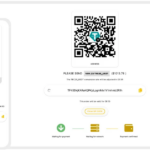
Crypto buyers pay attention to small details. Show the exact amount, the network, and a countdown timer for the payment window. Give a short note explaining that the order will confirm after the transaction is detected. If you accept multiple networks, make sure the network label is clear and unambiguous.
Also consider trust signals. A small “crypto accepted” badge, a short FAQ about crypto payments, and a link to the support policy all help reduce confusion. Keep these elements lightweight to avoid clutter.
Accounting and reporting
Your accounting system should record the fiat value at the time of payment and store the transaction hash. That gives your finance team clear audit trails and helps with reconciliations. It also keeps reporting consistent across payment methods, which is important when you compare performance later.
If you choose to settle in stablecoins, your treasury policy should define when and how you convert to fiat. This is a business decision, not a technical one, and it should be clear before you scale the payment method.
Where BlockBee helps
BlockBee gives you a straightforward way to add crypto payments without rewriting your checkout or touching your core payment flow. It supports common ecommerce platforms, offers real‑time payment updates, and lets you start small while collecting real performance data. That means you can validate the cost and conversion benefits quickly, then scale responsibly.
Learn how to add a crypto payment option that fits your site at BlockBee.
Common mistakes to avoid when you add crypto
A frequent mistake is to launch without testing the full cycle from payment to fulfillment. If the order status does not update, customers will contact support and trust will drop. Another common error is leaving pricing in crypto without a live conversion rate; that exposes you to volatility and creates confusion when the final total looks different at payment time.
Some merchants also overload the checkout page with technical details. Keep the explanation short and place any deeper info in a help article or FAQ. Lastly, do not ignore reporting. Without a clean way to reconcile crypto orders, the finance team will push back and the feature will stall. Solve the operational side before you scale traffic.
Related guides: How to use crypto for online payments: build a flexible, future-ready stack | How to create a crypto payment link: sell anywhere with a shareable checkout | How to accept cryptocurrency payments: use stablecoins to control price volatility
FAQ
How to add crypto payments to website without rewriting checkout?
How to add crypto payments to website can be done with a hosted checkout page that redirects back after payment.
How to add crypto payments to website and keep order status accurate?
How to add crypto payments to website and keep status accurate requires webhooks that mark orders paid after confirmations.
How to add crypto payments to website with a no code option?
How to add crypto payments to website with no code usually means using payment links or embedded widgets.
How to add crypto payments to website and support multiple coins?
How to add crypto payments to website with multi coin support depends on enabling the assets you want to accept at checkout.
How to add crypto payments to website and avoid price drift?
How to add crypto payments to website and avoid price drift requires an expiration window and locked exchange rate.
How to add crypto payments to website and protect API keys?
How to add crypto payments to website securely means storing API keys safely and verifying webhook signatures.
How to add crypto payments to website and test safely?
How to add crypto payments to website should be tested in a sandbox or test mode before launch.
How to add crypto payments to website and manage payouts?
How to add crypto payments to website and manage payouts requires choosing settlement to crypto, stablecoins, or fiat.
How to add crypto payments to website and reduce fees?
How to add crypto payments to website and reduce fees starts with selecting efficient networks and clear pricing rules.
How to add crypto payments to website first step?
How to add crypto payments to website starts by selecting the checkout method and confirmation policy.
Editorial Q&A
Q: What data should we log for how to add crypto payments to website?
A: Order ID, transaction hash, crypto amount, fiat value at sale, and status changes.
Q: How do we handle failed payments for how to add crypto payments to website?
A: Provide a clear retry path and a way to regenerate the payment amount if it expires.
Q: For how to add crypto payments to website, should we use a hosted page or an API integration?
A: Hosted is fastest to launch, while API integration gives full control over UX and data flows.
Q: Does how to add crypto payments to website require extra compliance steps?
A: It depends on order size and category. Many merchants use tiered checks for higher-value orders.
Q: How do we avoid breaking checkout when adding how to add crypto payments to website?
A: Add it as an optional payment method and test with a small traffic slice first.












Join the discussion
Share a real experience or ask a focused question. Short replies are perfect.