

WooCommerce crypto payments can be implemented with a self-hosted checkout using BTCPay Server, giving merchants more control over processing, data, and settlement. Instead of routing transactions through a third-party processor, you run your own BTCPay Server instance (or use a trusted host), connect it to WooCommerce, and keep the payment flow inside your environment.
The goal is a checkout that feels as seamless as card payments: clear pricing, a short payment window, and reliable order updates. If the flow is simple and predictable, customers are more likely to complete the purchase.
Why self-hosted can be a fit
Running your own payment stack can reduce reliance on centralized processors and gives you direct control over configuration, data retention, and uptime strategy. For merchants with in-house technical resources, this flexibility is a strong advantage. For others, it may add operational overhead that needs to be weighed carefully.
Requirements before you start
You’ll need a functioning WooCommerce store, an active BTCPay Server instance, and a configured store in BTCPay with a connected wallet. It’s also important to verify your PHP environment meets plugin requirements. Checking these prerequisites early prevents setup friction and checkout errors.
Install the BTCPay for WooCommerce plugin
Install the BTCPay for WooCommerce V2 plugin from the WordPress dashboard or upload the plugin zip manually if you manage plugins via version control. Once activated, the plugin adds a dedicated settings section for your BTCPay connection.
Connect using the API key wizard
The API key wizard is the fastest way to connect. You enter your BTCPay Server URL, click “Generate API key,” authorize the request in BTCPay, and you’re redirected back with the API key and Store ID prefilled. The webhook is created automatically, which ensures order status updates work correctly.
If you prefer manual control, you can create an API key with the required permissions and paste the API key and Store ID into the plugin settings. This is useful for locked-down environments or stricter permission policies.
Enable the gateway and test checkout
After the connection is complete, enable the BTCPay gateway in WooCommerce Payments. Then run a small test order to confirm an invoice is created in BTCPay and that the WooCommerce order status updates when payment is confirmed. If status updates fail, check the webhook registration first.
Order status mapping and fulfillment
Map payment confirmations to the right fulfillment stage. Physical goods might stay “on hold” until confirmation is complete, while digital products can move to “completed” immediately after payment. Aligning these rules with your fulfillment workflow prevents delivery mistakes and reduces support tickets.
Checkout UX tips that improve conversion
Keep the payment experience clear: show supported coins, display a countdown timer, and confirm the order immediately after payment. Add a short FAQ near the payment option so first-time crypto users understand the steps without leaving the checkout page.
Security and monitoring
Protect API keys, limit admin access, and monitor logs for unusual activity. If you update webhooks or rotate keys, re-save the plugin settings to re-register the webhook correctly. A simple monthly review of logs and settlement reports helps catch issues early.
Refund policy and support workflow
Define whether refunds are issued in fiat or crypto and explain the calculation method clearly. Make sure the support team has a documented flow, so responses are consistent across channels. This prevents confusion and speeds up resolution.
Scaling the coin list
Start with a focused list of coins and expand only after you see steady usage. This keeps support manageable and reduces checkout complexity. If stablecoins are important to your audience, add them once the initial flow is stable.
When a managed option makes sense
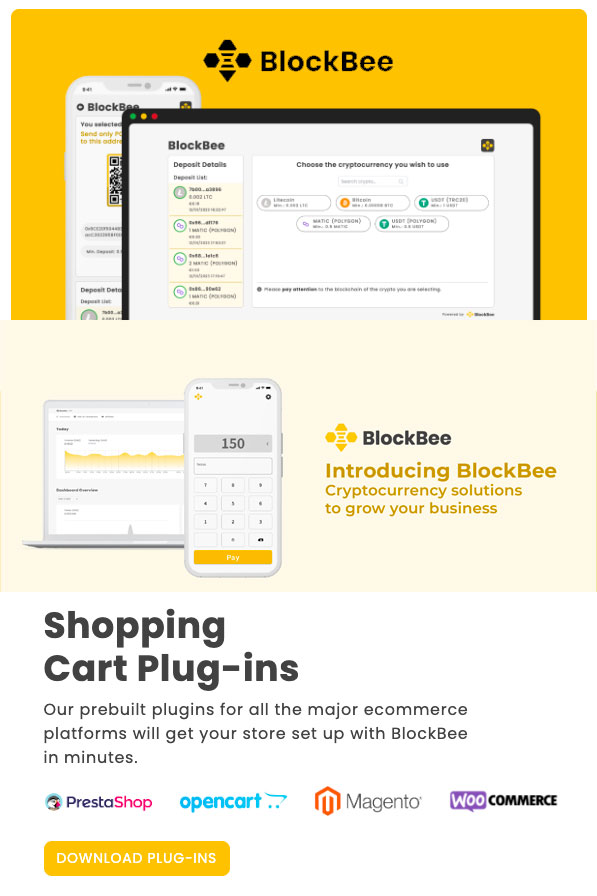
Self-hosted infrastructure offers control, but it can add operational overhead. If you want a faster setup with managed plugins and APIs, a provider like BlockBee can reduce maintenance while still offering a professional checkout experience.
Launch checklist
- Confirm your BTCPay Server instance and store are configured with a connected wallet.
- Install and activate the BTCPay for WooCommerce V2 plugin.
- Connect via the API key wizard and verify webhook status.
- Enable the gateway in WooCommerce Payments.
- Run a test transaction and validate order status updates.
- Update checkout copy, FAQs, and refund policy.
- Monitor conversion rate, payment success rate, and support tickets.
WooCommerce crypto payments are easiest to scale when the flow stays familiar and the operational details are tested early. Start with a stable configuration, validate real orders, and improve the experience based on customer feedback.
Pricing windows and underpayments
Every crypto invoice should have a clear time window so customers understand when the price is locked. Decide how you will handle partial or late payments before going live. Some merchants accept small underpayments and mark the order as paid, while others require a manual review. A documented policy reduces support friction.
Reconciliation and accounting
Even with a self-hosted stack, you still need clean records. Keep invoice IDs, transaction hashes, and settlement reports tied to each WooCommerce order. This makes tax reporting and revenue recognition more reliable and prevents month-end surprises.
Uptime, backups, and business continuity
Your checkout depends on your server availability. Monitor uptime, keep backups of your BTCPay configuration, and document recovery steps. If a node or server goes down during a payment window, clear communication and a fallback policy help preserve trust.
Measuring success
Track adoption rate, payment success rate, and average order value for crypto checkouts. Compare these metrics to card transactions to see where the new payment option improves margins or expands international sales.
Related guides: How to accept crypto payments online: add a 24/7 payment method that converts | How to integrate crypto payments on website: speed up settlement and cash flow | How to accept bitcoin payments for business: leverage brand trust and buyer intent | How to integrate bitcoin payments on your website: secure setup and UX | Crypto payment processing fees: lower costs without harming conversion | Crypto chargeback protection: reduce disputes and protect margin
FAQ
How do WooCommerce crypto payments work with a self hosted checkout?
WooCommerce crypto payments can work with a self hosted checkout by running your own payment server and connecting it to orders.
How do WooCommerce crypto payments handle confirmations?
WooCommerce crypto payments should set confirmation thresholds before marking orders paid.
How do WooCommerce crypto payments manage refunds?
WooCommerce crypto payments require a refund workflow that ties refunds to the original order and amount.
How do WooCommerce crypto payments secure API access?
WooCommerce crypto payments should secure API access with restricted keys and role based permissions.
How do WooCommerce crypto payments reconcile orders?
WooCommerce crypto payments reconcile orders by linking order IDs to transaction IDs and payout records.
How do WooCommerce crypto payments manage volatility?
WooCommerce crypto payments manage volatility by defining settlement rules and optional stablecoin conversion.
How do WooCommerce crypto payments improve checkout UX?
WooCommerce crypto payments improve checkout UX with QR codes, clear steps, and status updates.
How do WooCommerce crypto payments handle partial payments?
WooCommerce crypto payments should define rules for underpayment and overpayment to prevent order confusion.
How do WooCommerce crypto payments support reporting?
WooCommerce crypto payments support reporting with exports that include transaction timestamps and values.
What is the first step for WooCommerce crypto payments?
The first step for WooCommerce crypto payments is deciding your checkout flow and confirmation policy.
Editorial Q&A
Q: How do we test WooCommerce crypto payments before going live?
A: Run a staging flow, verify confirmations, simulate refunds, and confirm accounting exports.
Q: How do we avoid breaking checkout when adding WooCommerce crypto payments?
A: Add it as an optional payment method and test with a small traffic slice first.
Q: Does WooCommerce crypto payments require extra compliance steps?
A: It depends on order size and category. Many merchants use tiered checks for higher-value orders.
Q: What data should we log for WooCommerce crypto payments?
A: Order ID, transaction hash, crypto amount, fiat value at sale, and status changes.
Q: How do we handle failed payments for WooCommerce crypto payments?
A: Provide a clear retry path and a way to regenerate the payment amount if it expires.












Join the discussion
Share a real experience or ask a focused question. Short replies are perfect.